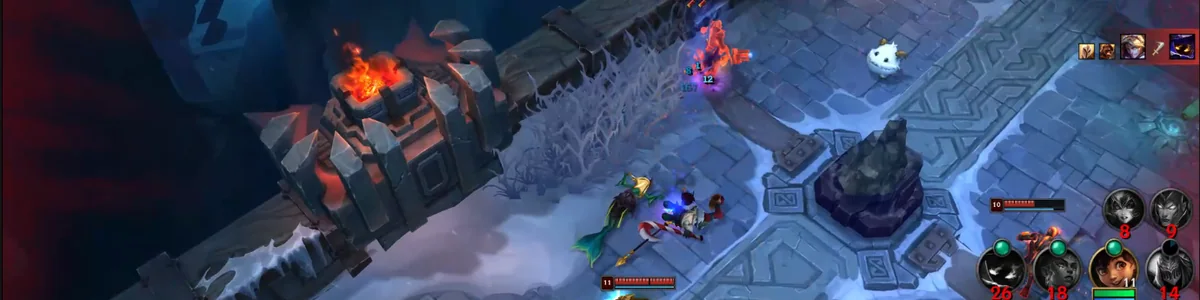
Short answer: keep Hexgate open while you play and, with Clips turned on, it records your deaths, kills and assists in the background. When the game ends, every one of them is ready to rewatch: in slow motion or frame by frame, with who killed you, where it happened, and your gold and levels against theirs at that moment. No replay file to open, no recording app to set up, nothing to clip by hand.
This guide covers why rewatching your deaths is the most reliable way to stop making the same mistakes, why most players never do it, and a one-minute routine for reviewing a death that actually changes how you play the next game. If you only want to see it, the homepage has a real example.
Why Coaches Tell You to Watch Your Deaths
Ask any coach or high-elo player how to improve and the answer is some version of "review your games, start with your deaths." There is a good reason for it. A death is the clearest mistake a game produces: it costs you gold, experience, map pressure and often an objective, and it almost always has a cause you could have seen coming.
The problem is that you cannot see the cause while it happens. In the moment you are watching your champion, your cooldowns and the enemy in front of you. The jungler that walked out of fog, the support who was missing for twenty seconds, the wave that pulled you two steps too far: those are all on screen, but your attention is somewhere else. Watching it again, with nothing at stake, is the only way to see what you missed.
Deaths also repeat. Most players do not die in fifty different ways; they die in three or four, over and over. Caught in the same side lane after 20 minutes. Overstaying for one more wave. Fighting with an item sitting in the shop. You only notice the pattern when you watch several of your deaths back to back, and that is something no post-game screen will show you.
Why Almost Nobody Does It
Everyone agrees with the advice and almost no one follows it, because the tools make it slow:
- Replays are tedious. Open the client, find the game, download the replay, wait for it to load, scrub through 30 minutes to find each death, then fight the camera to see the right part of the map. Ten deaths is a lot of scrubbing.
- Replays expire. A League replay only plays on the patch it was recorded on. Wait two weeks and it is gone.
- Recording apps need setup. Recording everything with a general screen recorder means configuring it, storing gigabytes of footage, and still cutting out each death yourself.
So the review that would help the most is the one that never happens. You queue up again instead, and the same death happens the same way.
What Hexgate Does Instead
Clips is part of Hexgate Pro+. Once it is on, there is nothing else to do: Hexgate records the League window while you play and, every time you die, get a kill or get an assist, it keeps the seconds before it and a few seconds after. Moments close together share one clip, and multi-kills are labeled. When the game ends, a small notification says your clips are ready.
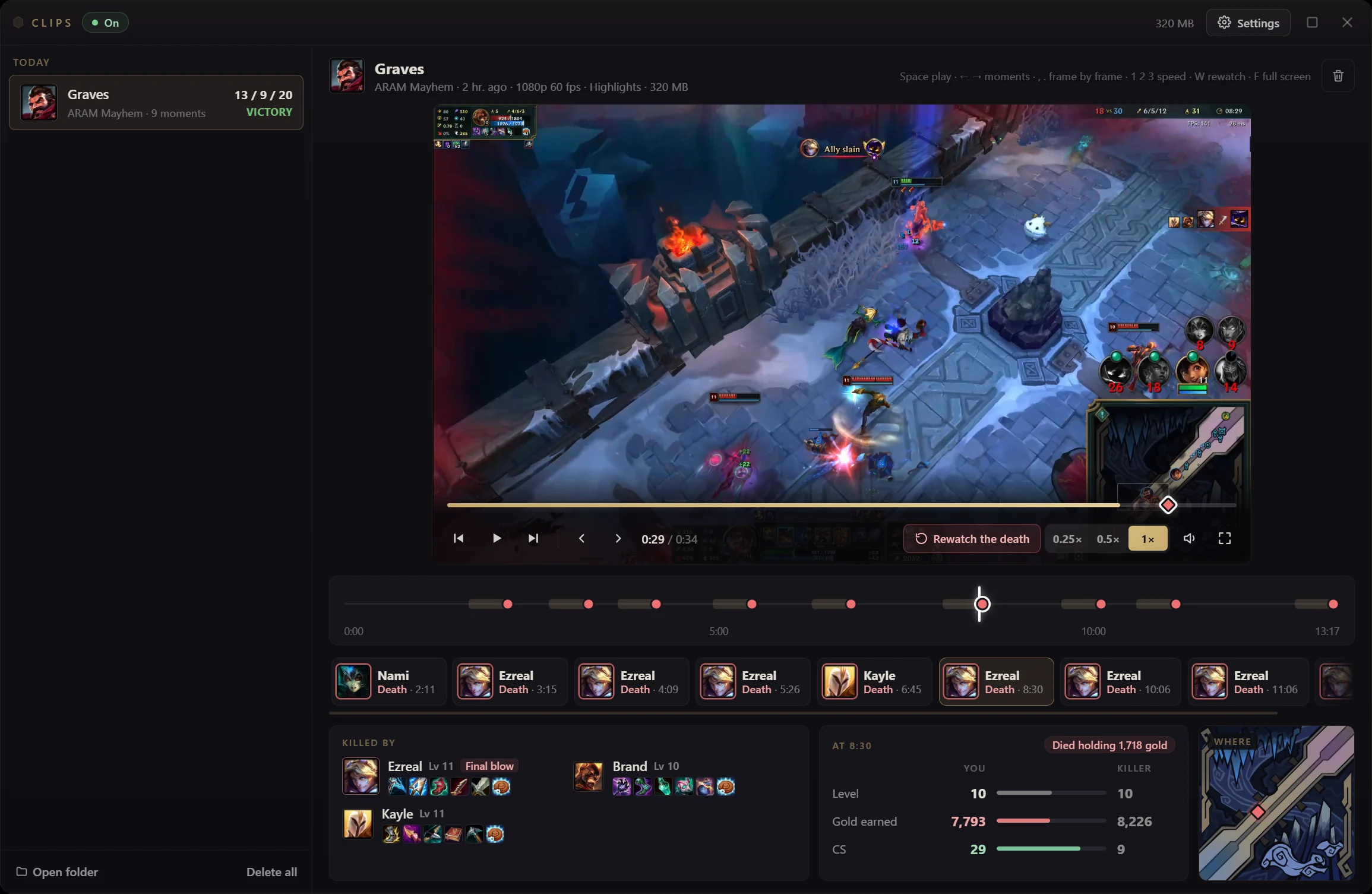
Every clip opens in the Clips window. The player plays at normal speed, half speed or quarter speed, and steps forward or back one frame at a time. Under it, the game timeline marks every death, kill and assist of the game, so you can jump straight to the next one. And next to each moment, Hexgate shows the context the replay would not give you:
- Who killed you. Every champion involved, with the one who got the final blow marked, and their items.
- Where it happened. The spot on the minimap.
- How even the fight was. Your level, gold and CS against your killer's at that moment, and a note when you died holding a lot of unspent gold.

A One-Minute Routine for Reviewing a Death
Watching a death is not the same as learning from it. This is the routine that turns a clip into one thing you will do differently:
- Watch it once at normal speed. The clip starts a few seconds before the death. Just watch, and notice the moment you first think "I should not be here."
- Watch the last five seconds at half speed. Now look away from your champion. Check the minimap: who was missing, and for how long? Where was your team?
- Ask the four questions. Did I have the information to avoid this? Was this fight worth taking with these levels and items? Did I die for something (an objective, a trade, time for my team) or for nothing? What was the last safe moment to leave?
- Name one change. One sentence, about the next game: "Leave the side lane when two enemies are missing," not "play safer."
Then do the same for the next death, and look for the repeat. If three of your clips start with you farming alone past the river after 20 minutes, that is not bad luck. That is the habit to fix, and now you have seen it three times in a row.

The Breakdown Says Why, the Clip Shows You
Clips pairs with the Match Breakdown, the Pro+ analysis Hexgate builds after every ranked and Normal Draft game. The breakdown tells you which deaths mattered: three deaths in the eight minutes after your lead peaked, or a death caught alone on the enemy side of the map. Every recorded death in its list has a Watch button that opens that exact moment, three seconds before it happens. Reading "caught alone, no teammate near" is useful; watching yourself walk into it is what makes it stick.
Pro+ does this for every game you play
€9.99 a month, or €7.49 a month billed annually, with everything in Pro, Lane Scouting and the Match Breakdown included. Already on Pro? Switch plans from the billing portal in the app. See Pro+ pricing.
It Will Not Cost You Frames
A recorder that drops your frame rate is a recorder you turn off. Hexgate records with the video encoder built into your graphics card (NVIDIA, AMD or Intel), the same hardware that streaming apps use, so the work happens off to the side of the game instead of on top of it. A few more details that matter:
- Only League is recorded. The League window and the game's sound. Not your microphone, not Discord, not anything else on your screen.
- Borderless window mode. League needs to run in Borderless window mode, which is also the mode most overlays need.
- Everything stays on your PC. Clips are saved in your Videos folder (you can pick another folder) and never uploaded. You choose how many games to keep, and the settings show how much space that will take.
Your Settings
The defaults are 15 second clips at 1080p and 60 fps, with deaths, kills and assists all recorded. You can change all of it:
- What to record: deaths, kills and assists, each on or off.
- Clip length and quality: 15 or 30 seconds, 720p or 1080p, 30 or 60 fps.
- Highlights or the full game: record only the moments, or the whole game with every moment marked on its timeline.
- Game modes: Normal Draft and ranked are recorded by default. ARAM and ARAM Mayhem can be turned on, each with its own settings and its own number of games to keep.
What It Costs
Clips is part of Hexgate Pro+: €9.99 a month, or €7.49 a month billed annually. Pro+ includes everything in Pro (unlimited games, lane matchup scoring, OTP builds), the Match Breakdown of every ranked game and Lane Scouting on the loading screen. The free tier and Pro keep the full in-game build overlay. Details are on the pricing section.
Frequently Asked Questions
Does recording lower my FPS?
Recording uses the video encoder built into your graphics card (NVIDIA, AMD or Intel), the same hardware streaming apps use, so the game keeps its frame rate.
Do I have to record or save replays myself?
No. Keep Hexgate open while you play. It records in the background and keeps only the moments you chose (or the full game if you picked that), and they are ready when the game ends.
Where are my clips saved, and are they uploaded?
On your PC, in Videos\Hexgate by default (you can change the folder). They are never uploaded. Hexgate keeps the number of games you choose and deletes older ones.
Does it record my voice or Discord?
No. Only the League window and the game's own sound are recorded.
Which games are recorded?
Normal Draft and ranked Solo/Duo and Flex games when Clips is on. ARAM and ARAM Mayhem can be turned on in the settings.
Is it allowed by Riot?
Yes. Hexgate records the game window the same way streaming and clipping apps do. It does not modify game files, read game memory or automate anything, and it works within Riot's third-party tool rules.
Stop Dying the Same Way Twice
Install Hexgate free, upgrade to Pro+ in the app, turn on Clips, and play. Your next game's deaths will be waiting for you when it ends.
Get Hexgate Pro+Download Hexgate free (3 games a day, no ads) · see Clips on the homepage